Fundamentals of user interface and experience, real project examples
Fundamentals of user interface and experience, real project examples
Task and flow (UX)
The steps by which the user will reach his goal, where he can give up, and what error paths exist are determined before the screens.
Interface and states (UI)
Hierarchy, typography, component and color decisions; It is designed with empty, error, loading and success states.
Trial and transfer
The prototype is tested with a few people; Measures, behaviors, and texts are delivered with annotations that the developer can implement.
Short answer: UI (user interface) design addresses the layout and behavior of elements seen and touched on the screen, while UX (user experience) design addresses how a person completes a task from start to finish; A comprehensible digital product emerges by considering the two together on the same flow.
I'm Selçuk Aker. I graduated from Marmara University, Faculty of Fine Arts, Department of Graphic Design and have been working on brand, publication and digital interface projects for over 19 years. From Eyüpsultan, Istanbul, mostly from afar; I design website, e-commerce, mobile application and management panel (SaaS) interfaces. This guide explains the concepts of UI and UX, the difference between the two, and how a project actually progresses. The profession, skills, tools, principles and mobile application design are discussed in detail on the subpages.
What does UI/UX design do?
Let's start with an example. A user wants to make a dentist appointment from his phone in the evening. He opens the application, searches for the appropriate time, enters his information and waits for confirmation. There are dozens of small decisions in these few minutes: Will the calendar appear on the first screen? Will occupied hours be shown dimmed or removed from the list altogether? What will the message say when the phone number is entered incompletely? If the connection is interrupted, how will the user know whether the appointment has been made or not?
UI/UX design makes the answers to these questions visible and testable before the code is written. The purpose is not to decorate the screen. It is about ensuring that the person reaches his goal with less hesitation and that the product team clearly sees what to develop. Design can contribute to this goal; However, if the value, price, infrastructure and service quality offered by the product are poor, the screen layout alone does not determine the result.
On the business side, UI/UX work usually translates to:
- Seeing gaps in the flow before development begins: missing screen, undefined error condition, unclear user authorization.
- A common language within the team: product manager, developer and content manager talk through the same prototype.
- A consistent interface with repeated components and a more predictable development process.
- The basis for deciding what will change in the next version through support requests and user feedback.
What is UI?
UI (User Interface) is the visual and interactive layer through which the user comes into contact with a product: buttons, form fields, menus, cards, icons, typography, color, spacing and their different states. UI design determines what a screen displays first, which element is clickable, and how the interface responds during an action.
UI is not just appearance. Pressed, passive and loading states of a button; empty, single record and hundreds of records versions of a list; How a long Turkish product name will affect the card is also an interface decision. I explained the components of the user interface and their place in the digital product in more detail in the user interface (UI) design article.
What is UX?
UX (User Experience) is the whole process that a person goes through before, during and after using a product. UX design deals with the designable part of this process: Who is coming, for what purpose, under what circumstances? What steps does he follow, where does he get stuck? Research, information architecture, user flow, wireframing, prototyping and usability testing are the main tools of UX work.
ISO 9241-210 standard human-centered design; He describes it as a cycle in which the steps of understanding the usage context, determining the requirements, producing a solution and evaluating the solution with the user are repeated. I also cover the steps of the UX process and research methods in the user experience design guide.
Difference between UI and UX
In short, UX is “Which path does the user reach his goal?”, while UI is “How does each step of this path appear on the screen and how does it behave?” looks for an answer to the question. The table below shows the difference in concrete metrics:
| Criterion | UX (user experience) | UI (user interface) |
|---|---|---|
| Focus | Task, flow, need and context of use | Visual layout, widget and interactivity |
| Basic question | With what steps does the user reach his goal? | How can this step be understood and used on the screen? |
| Typical outputs | Research notes, flowchart, sitemap, wireframe, test findings | High resolution displays, component library, style rules, interactive prototype |
| Evaluation | Is the task completed, where are the mistakes made, how long does it take? | Is it readable, distinguishable, coherent, accessible? |
| Weight in the project | Intense at first; again after testing and release | Once the flow becomes clear, it is intense; lasts throughout development |
| Common misconception | “UX is just research.” | “UI is just colors and fonts.” |
The chart is useful for separating two areas, but in practice the line is not that sharp. Changing a button label is both a UI and UX decision; because it changes both the view and the way the user understands the next step.
Where do UI and UX intersect? Two decisions on the same screen
Consider an e-commerce cart. The user added the product and wants to see the shipping fee. On the UX side, the following decision is made: Should the shipping cost be shown in the cart or at checkout? How will the estimated fee be expressed if the address is not yet known? On the UI side, it is determined on which line, in what text weight and with what description this information will appear in the cart summary.
Problems arise if two decisions are made without knowing each other. If the flow is set up correctly but the fee line is designed so faint that it is overlooked, the user will still be confused at the last step. The interface is attentive, but if the fee only appears on the payment page, a surprise that may lead to cart abandonment is not mentioned in the design. That's why I design the flow and the screens in the same working file, interconnected: Next to each screen, it is written which step it belongs to and which states it has.
The places where the intersection is most clearly seen:
- Status screens: Empty list, error, loading, unauthorized access and offline status are the subject of both flow and visual design.
- Microtext: What the button, error message, and confirmation text say (UX) works together with how it looks (UI).
- Forms: How many fields to ask for is a UX decision, grouping of fields, label position and error display is a UI decision.
- Accessibility: Contrast and focus visibility are the responsibility of the interface, while a flow that can be completed with the keyboard alone is the responsibility of the experience design.
UI/UX, graphic design and product design: titles and boundaries
Similar roles are mentioned under different names in job postings. Although titles vary by company, a general reading can be made as follows:
| Title | Major responsibility |
|---|---|
| UX designer / UX designer | Flow, information architecture, wireframe, prototype, testing |
| UI designer / interface designer | Visual interface, component, design system, states |
| UI/UX designer | It undertakes both together; common in small and medium-sized teams |
| Product designer / product designer | Involvement in product goals, prioritization and measurement decisions in addition to UI/UX |
| UX researcher / researcher | Research plan, interview, test administration and interpretation of findings |
| Graphic designer | Brand identity, publication, packaging, campaigns and visual communication |
Graphic design and UI/UX are based on the same visual fundamentals: hierarchy, typography, color and grid. The difference is that UI/UX is designed for interactive and time-spanning use. A poster is read at a glance; An application screen changes as the user touches it. I explained the basics of graphic design in the graphic design guide.
CX (customer experience) is a broader field than UI/UX. This includes call center, delivery, billing and store experience; The digital interface is just one point of contact in this whole. I also opened this limit in UI, UX and CX article. If you are wondering about the daily reward of the profession, you can look at the page What does a UI/UX designer do.
How does a UI/UX project proceed?
Not every project follows the same order; Improving an existing product and designing an application from scratch start from different points. However, most projects have these stages:
- Understanding the context: Who is the product for, what problem does it solve? Available data, support requests and similar products are examined. If necessary, a separate UX research is planned.
- Task and flow: Tasks that the user must complete are listed; A step-by-step flow is drawn for each task.
- Screen inventory: The screen of each step in the flow and the states of this screen (empty, error, loading, success) are extracted.
- Wireframe: Layout drafts are prepared with actual content lengths, without using colors. For coverage, see wireframe service.
- Prototype and trial: The clickable prototype is tested with a few people from the target audience, or at least with people who do not know the project.
- Visual interface: Typography, color, icon and widget rules apply; repeated items become a library. In growing products, this structure evolves into a design system.
- Developer handover: Metrics, states, behavior notes, and entities to be exported are shared; Questions that come up during development are answered.
- Post-release: Priorities for the next release are determined with feedback and measurements.
You can find the tools used in these stages in the UI/UX design programs guide, and the basic rules used when evaluating the screens in the UI/UX design principles guide.
Differentiating decisions in web, mobile and SaaS interfaces
The fundamental questions of UI/UX are the same for every product type; but the focus points change:
| Product type | Featured questions | Frequently overlooked situations |
|---|---|---|
| Corporate website | In how many steps does it take the visitor to find the information he is looking for? Is the communication path visible? | Breaking long titles on mobile, screen after form submission |
| E-commerce | How clear are the filter, compare, cart and checkout steps? | Out of stock product, invalid coupon, late shipping fee appearance |
| Mobile application | One-handed use, platform habits, permission requests | Offline status, notification permission denied, keyboard covering area |
| SaaS and management panel | How is dense data scanned? How are roles and authorities separated? | Empty table, batch transaction confirmation, progress indicator of long running operation |
On mobile, Apple's Human Interface Guidelines and Google's Material Design 3 guides describe platform habits. I explained mobile application-specific decisions in the what is mobile application design and how to design a mobile application guides. The scope of delivery for management panel projects is explained on the SaaS and dashboard design page, and for sites opened from the browser on the phone, the mobile web design page is explained.
How to evaluate a UI/UX work?
Design presentations often show the brightest screens: the landing page, a full control panel, carefully selected photos. However, the quality of a work is often revealed on invisible screens. When reviewing a design file, whether it's your own work or a submission from a designer, I recommend looking at these questions:
- Is the task clear? Can it be said in one sentence which user task the screen serves?
- Are the situations designed? Are the blank, error, loading and success cases drawn separately, or are only the ideal data shown?
- Is real content used? Is the layout disrupted by long names, missing images, and different numbers of records?
- Is the reason for the decision written? “Why is this filter on top?” Is the answer to the question found in the file or notes?
- Has accessibility been checked? Have text contrast, focus visibility and touch areas been measured?
- Can the developer work with this file? Are the components named, dimensions consistent, behaviors described?
Positive answers to all of these questions do not indicate that the product will be successful; but it shows that the design is ready for development and decisions can be monitored. I explained the job equivalent of the skills in detail in the UI/UX designer skills guide.
Examples of my work
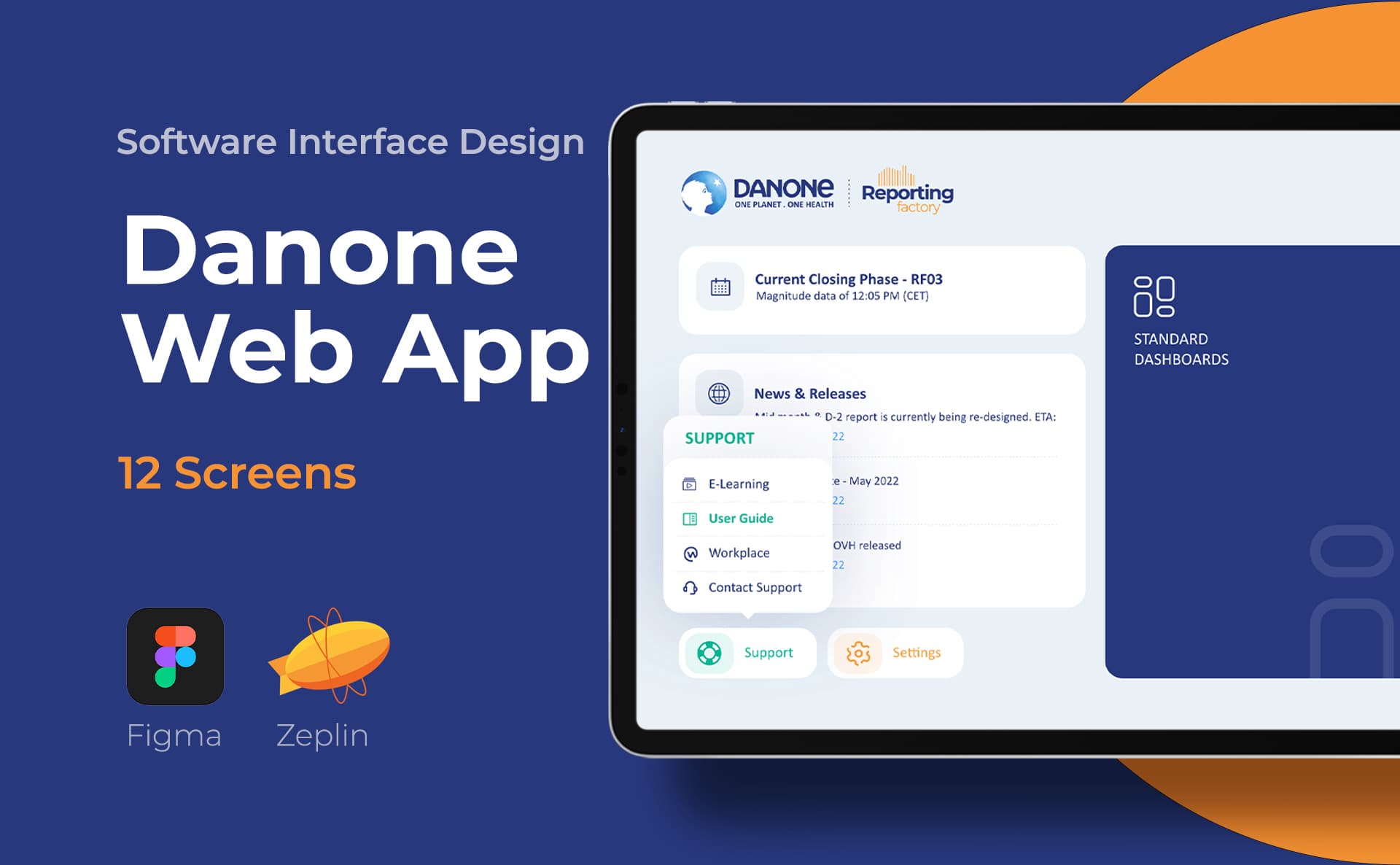
Danone: I designed new interfaces in this project; My responsibility was interface design. Danone interface work presents a selection of the screens I prepared for the project.
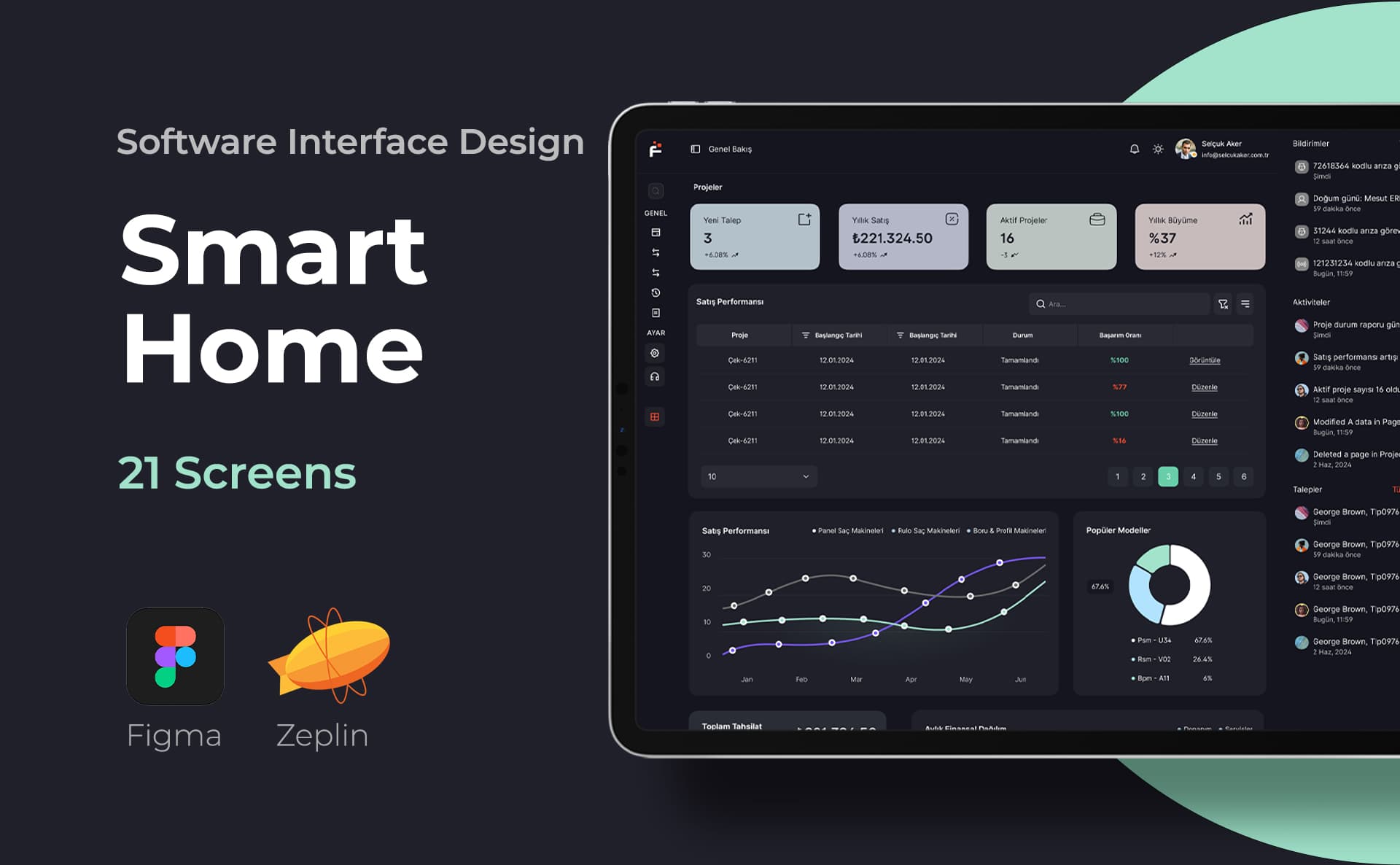
ERP Software: I designed the interfaces of the software. ERP Software interfaces can be examined to see how data-intensive screens are laid out.
Yatcim: I prepared the entire website. Yatcim project is an example that can be looked at to see a web interface as a whole.
In addition, my portfolio includes interfaces published in the mobile application, SaaS interface and e-commerce categories. These examples show the screens I prepared; Unshared user testing makes no claims about sales or conversion results.
What should you share when getting UI/UX design support?
Share who the product is for, the most important task the user needs to complete, the platform (web, iOS, Android), and any available screens. The technology and schedule used by the software team also influence design decisions. Design, software development, testing, and release are separate responsibilities; It should be written in the offers which one is included in the scope.
You can check out Istanbul UI/UX designer for one-to-one working arrangements in Istanbul, freelance UI/UX designer for remote and project-based collaboration, and mobile application design for mobile projects. A short introduction is on my UI UX designer page. You can describe your project on contact page.
Summary: UI/UX design at a glance
- UX, how the user completes the task from start to finish; The UI designs how this task looks and behaves on the screen.
- When the two are considered together on the same flow, gaps become visible before development begins.
- Status screens, microtext, forms, and accessibility are where the two areas intersect.
- Titles vary by company; In the evaluation, look at work examples and the actual role in the project.
- Design may contribute to the success of the product, but it is not a promise of results on its own.
Frequently asked questions about UI/UX design
Can UI and UX be done by the same person?
Yes. It is common for UI/UX designers to take on both in small and medium-sized projects. In large teams, research, flow, and visual interface may be divided into different experts. The important thing is that it is clearly known in the project who made which decision.
Does UX include UI?
As a concept, user experience also includes the interface; because the interface is part of the experience. In practice, UI is a field of its own expertise. Typography, component and status design require a separate skill set and a separate effort.
Does the UI/UX designer have to write code?
It doesn't have to. However, knowing HTML and CSS logic, how screens behave at different widths, and how a data request introduces error conditions with loading makes it easier to create workable design. Coding and release are the responsibility of the software team in most projects.
What is the difference between UI/UX and graphic design?
Both rely on knowledge of hierarchy, typography, color and composition. Graphic design often conveys a fixed message; UI/UX, on the other hand, designs a product with states and flows that change with user interaction. A portfolio in one field alone does not indicate competence in another field.
Are product designers and UI/UX designers the same?
Often overlap. The product designer title implies greater involvement in product goals, feature prioritization, and measurement decisions in addition to UI/UX work. It is necessary to look at the list of responsibilities in the advertisement rather than the title.
Is there UX design without user testing?
It happens, but the decisions remain untested assumptions. Even if the budget is limited, a short prototype trial with a few people can reveal sticking points that the team didn't notice. It is also useful for the next version to write down what assumptions the untested decisions are based on.
Does UI/UX design guarantee conversion?
No. Design can contribute to the result by making the user's task easier. Conversion also depends on factors other than design, such as product, price, traffic source, technical performance and service quality. Therefore, it is better to talk about measurable goals and an evaluation plan instead of promising results.
Which files are delivered with UI/UX design?
A design file is typically delivered that includes a flowchart, wireframes, high-resolution screens, clickable prototype, component library, and developer notes. Export of icons and visual assets, design system documentation and source file access should also be specified in the proposal.
Sources and further reading
ISO 9241-210 for the human-centered design process, Nielsen Norman Group's 10 usability principles for usability evaluation, and W3C's WCAG 2.2 document for accessibility are the main reference sources. For mobile platform rules, Apple Human Interface Guidelines and Material Design 3 can be examined. Since these guides are updated, the current version of the publishing institution should always be taken as basis. The project scopes on this page describe my work, and the evaluation suggestions describe my professional approach.
Subpages of the UI/UX design guide
- What Does a UI/UX Designer Do? Tasks and Deliveries
- How to Become a UI/UX Designer? Step by Step Roadmap
- UI/UX Designer Skills: What to Look for in a Good Designer
- UI/UX Design Programs: Which Tool for Which Job?
- What is User Experience Design? UX Process and Methods
- UI/UX Design Principles: Basic Rules of Usability
- What is Mobile Application Design, Why is it Important?
- How to Design a Mobile Application? 10 Steps from Idea to Publication
Preparation for the first meeting
Share your product, your users, and the primary mission; Let's define the flow, interface and delivery scope together.
- Target user of the product
- Prioritized task and flow
- Platform (web, iOS, Android)