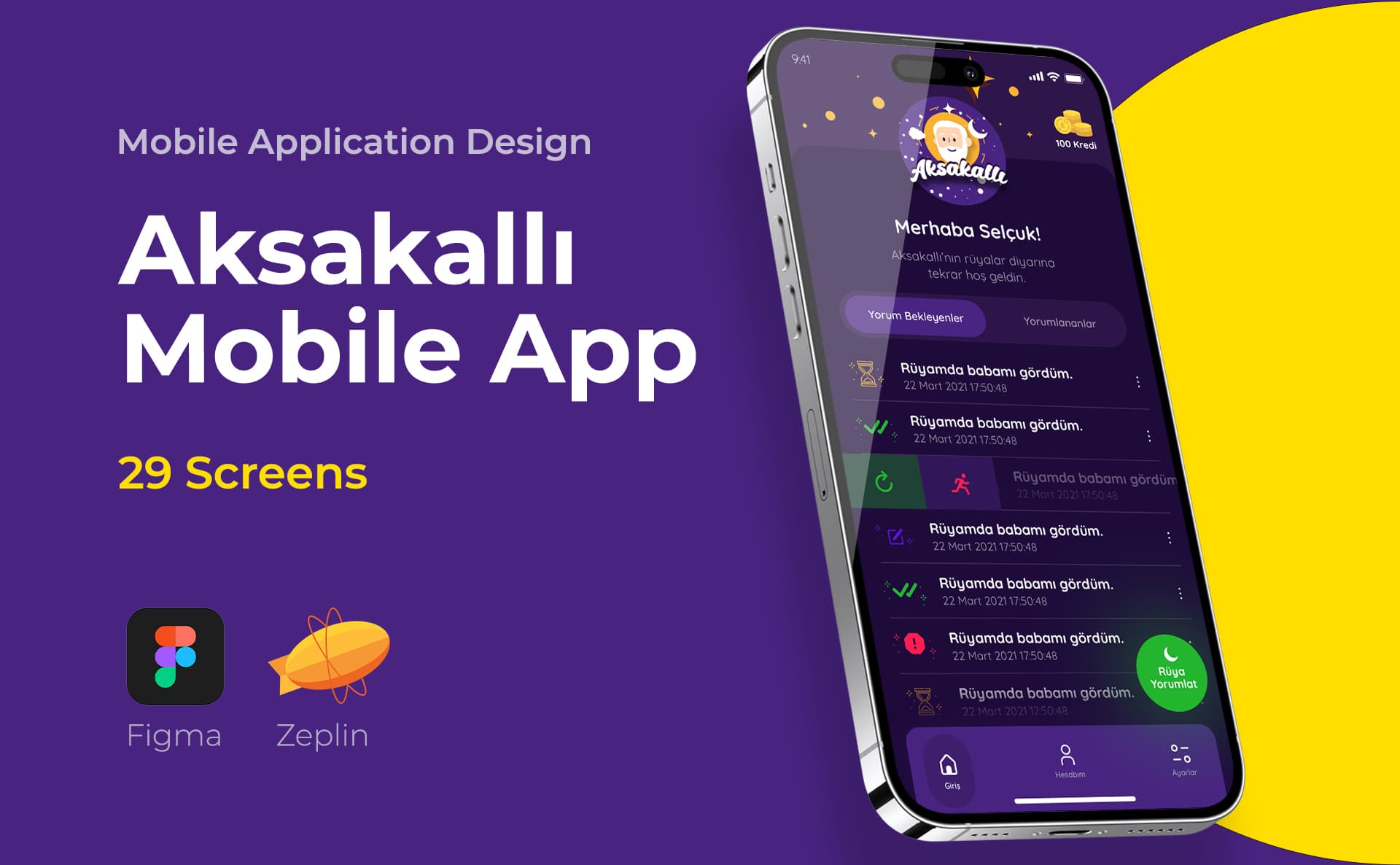
UI/UX design guide
Scope of the guide
Short answer: User experience (UX) design is the design discipline that plans, through research, flow, prototyping and testing, how easily, understandably and with fewer errors the person using a product achieves his goal.
I am Selçuk Aker; I am a graphic and UI/UX designer with over 19 years of experience working in Istanbul. The word UX is used in a very broad sense today: sometimes it refers to the beauty of a display, sometimes to a company's customer service, and sometimes simply to user testing. In this guide, I explain in simple language what UX design involves, what steps it takes, what deliverables it produces and how it is measured. For the general framework of the field and its difference with UI, you can look at UI/UX design main page.
User experience and UX design: definition
User experience is the totality of perceptions and reactions that a person experiences before, during and after encountering a product, service or system. In international standards (ISO 9241-210, human-centered design), the experience is not limited to the screen alone; Expectation, use and after-effects are considered together.
UX design is a matter of planning this experience without leaving it to chance. It answers these questions in practice:
- Who uses this product, for what purpose and under what conditions? -What steps does one need to go through to achieve one's goal, and which are unnecessary? - In what order and under what names will the information be presented, will the person find what he is looking for? - What happens when a person makes a mistake, how does the system tell about this? - How will we know if the design works?
It is often cited that the term "user experience" was popularized by Don Norman, who worked at Apple in the 1990s. Norman used the concept to describe a person's entire relationship with a product, beyond the interface. This history is important as a reminder that UX is not just screen design.
Components of UX
UX is not a single skill, but rather several interconnected areas of work. In a small project, the same person may run all of these; It turns into separate specializations in large teams.
| Component | Question answered | Typical output |
|---|---|---|
| User research | Who is the user, what does he need, where is he having difficulty? | Interview notes, summary of findings |
| Information architecture | How to group and name content? | Sitemap, menu structure |
| Interaction design | What happens when the user performs an action? | Flowchart, status list |
| Availability | How easily and error-free is the task completed? | Test report, problem list |
| Accessibility | Can people with different abilities use the product? | Contrast, focus, screen reader controls |
| Content and UX writing | Do the words on the screen provide guidance? | Button, error and help texts |
The visual layer of the interface, i.e. color, typography and component design, remains on the UI side. UX and UI meet on the same screen but answer different questions. For the role of the words on the screen, you can take a look at UX writing: button and error message texts.
UX process step by step
The UX process is not a linear line, but a cycle that returns as you learn. However, in most projects the steps proceed in this order:
- Discovery: The business goal, constraints and existing data are collected. Users are interviewed or current usage is observed.
- Description: The findings are grouped, the main problem is written in a single sentence. The persona or job description is created at this stage.
- User journey: The steps, emotions and touch points that the person goes through, from their first encounter with the product to completing their task, are drawn.
- Information architecture and flow: The structure of the screens and content, user flows and decision points are determined.
- Wireframe: Colorless, low-detail layouts decide what will appear on each screen and its priority.
- Prototype: Displays are connected to each other; A model is set up that the person can click and try.
- Usability test: Real users are given tasks and where they get stuck is observed.
- Iteration: According to the findings, the flow and screens are corrected and retested if necessary.
- Measurement: Mission success and pain points are tracked after the product is released; becomes the input of the next loop.
Each of these steps does not require a large budget. The important thing is to clarify who will do what task before drawing the screen. I explained which decisions to test in wireframe and prototype in the article wireframe and prototype decisions.
Persona, user journey and information architecture
Persona is a short profile based on research findings that represents the target user group. A useful persona describes purpose, obstacle, and context of use rather than a list of ages and occupations. Imaginary personas that are not based on research lull the team into a false sense of security. In many projects, a "job description" rather than a persona is more practical: "The user wants to create a leave request in five minutes during work breaks."
User journey map shows the stages a person goes through in reaching a goal on a timeline. It can also include non-app touchpoints: ad, store page, email, call center. That's why the team was wondering "does the problem start on the screen or before the screen?" It is a good tool to answer the question.
Information architecture is the decision about how content is grouped, named, and found. Whether menu titles are written in the user's language or the company's internal language is the source of most navigation problems. Using methods such as card sorting, it can be seen how users group content.
Research methods and when to choose them?
The choice of method depends on the question to be answered and the magnitude of the risk. Every method has things it shows and doesn't show.
| Method | The question that is most useful | Limit |
|---|---|---|
| One-on-one meeting | Why and how does the user behave? | It is done with a small number of people, it is not enough for generalization on its own. |
| Contextual observation | How is work done in the real environment? | Requires time and access |
| Survey | How common is an opinion or behavior? | Does not explain the reason, question writing affects the result |
| Card sorting | How do users group content? | Does not test screen flow |
| Usability testing | Can the person complete the task, where does he get stuck? | Does not measure market demand |
| Analytics | Where do users leave, how long does it take? | Does not show why |
The rule of thumb is: “Why?” Qualitative methods (interview, observation, test) for the question "How much?" For the question, quantitative methods (survey, analytical) are chosen. I discussed turning research notes into screen decisions with examples in the article translating user research into screen decisions. You can also refer to the article Research plan with a freelance UX designer for how to set up this process with a freelance designer.
UX deliverables: what files are produced?
Just waiting for a screen file at the end of the UX work renders much of the process invisible. Typical deliverables vary by project, but include:
- Research summary: Who was talked to, what was observed, which findings influenced which decision.
- Persona or job descriptions: Target users' goals and obstacles.
- User journey map: Stages, touchpoints and problem areas.
- Site map and flowcharts: Relationship of screens and decision points.
- Wireframe set: Content priority and placement of each screen.
- Clickable prototype: Working model of the flow for testing and presentation.
- Test report: Task success, observed problems and prioritized recommendations.
- Status list: Empty, loading, error, permission and success screens.
The scope and budget of these deliverables vary by project. I explained the factors that determine the price in the articles UX research prices and user flow, wireframe and prototype prices. For service scope, you can take a look at UX research and wireframe.
Separating evidence from assumption
The most common mistake in UX work is to accept the opinion of one person on the team as a user need. It should be asked whether the sentence "Users don't like this" is an observation or a guess.
A simple method is to write next to each decision its source: interview finding, test result, analytics data, or assumption. Decisions marked as hypothetical are tested first in the first round of testing. To evaluate an existing product from this perspective, you can use the steps in the article UX audit and priority plan.
How to do usability testing?
Usability testing is giving a person a realistic task and observing how they complete it. Ask the person "did you like it?" Asking is not a test; Saying "find last month's invoice for this product" is a test.
For a good test:
- Write tasks in the user's language and without hints; Do not use the button name in the task.
- Ask the participant to say his/her thoughts out loud.
- Do not help; Make note of where it is stuck.
- Write down observations immediately after each session; Keep interpretation and observation separate.
- Sort issues by frequency and impact size.
For a small team, short rounds of testing with a few participants often teach more than a single, large test; Because after each round, corrections can be made and tried again.
Measuring UX
There is no single number to measure UX. Conversion rate is an important business indicator, but it doesn't tell the experience alone; Price, campaign or season also affects it. More revealing indicators are:
- Task completion rate: What percentage of people can complete the task?
- Duration of duty: How long does the task last? Does the period get shorter over time?
- Number of errors: How many times does the person touch the wrong place or turn away?
- Abandonment points: At which step of the flow is separation concentrated?
- Support requests: Are there any recurring questions on the same topic?
- Perceived convenience: User's own evaluation through short surveys.
It is necessary to plan the measurement before design. If it is not determined which event will be recorded, post-broadcast "did it work?" The question remains unanswered.
Example: UX process in an appointment flow
Let's consider the online appointment flow of a beauty salon. When talking to customers during the discovery phase, it becomes clear that many of them want to select a specific employee before a particular service. This finding indicates that the flow should also be started in the order "employee → service → date" rather than "service → date → employee". In information architecture, service names are translated from the internal language of the hall into the names used by the customer. In Wireframe, it is discussed whether occupied hours should not be displayed on the calendar at all or should be displayed passively, and both options are tried on the prototype. If during testing it is observed that participants are surprised to see the cancellation policy at the checkout step, this information is carried forward to an earlier step. After the broadcast, it is measured at which step of the appointment flow the appointment was abandoned.
In this example, no single step is a major effort; but each allows the next step to proceed with less guesswork.
UX, UI and CX: where are the boundaries?
UX, UI and CX (customer experience) are often used interchangeably. Roughly speaking, UI is the visual and interactive layer of the screen: button, typography, color, component. UX is the user's experience of completing a task with that product: flow, information architecture, states, understandability. CX, on the other hand, covers all customer contacts with the brand: advertising, sales, delivery, call center, returns and the product itself.
This distinction is important in practice; because it determines where a problem will be solved. If users complain about shipping delays, the problem cannot be solved with a screen design; but how the cargo status is displayed in the app is the subject of UX. I discussed the subject in detail in the article UI, UX and CX themes.
UX differences across web, mobile and SaaS
Even though the process remains the same, priorities change as the context changes. Most of the time on the website the person comes from a search and wants to find what he is looking for quickly; information architecture and page speed come to the fore. One-handed use, intermittent attention, permissions and notifications are decisive in the mobile application; I explained this subject in detail in the What is mobile application design guide. In SaaS and management panels, the user uses the same screen for hours every day; data-intensive, filter, authorization and batch processing design stands out. My role in Danone and ERP Software projects was interface design; Screens containing dense data, such as those in ERP Software, require special attention in terms of readability and ease of scanning.
UX on a small budget: where to start?
Not every project has an extensive research budget. Even with a limited budget, these steps can be done:
- Write down the one critical mission of the product and list everything else accordingly.
- Conduct short interviews with several target users; Ask about their current habits.
- Draw the flow on paper and explain it to someone outside the team; Take note of where he asks a question.
- Conduct a short usability test with a wireframe or simple prototype.
- Measure completion rate for at least one task after release.
These steps are not a substitute for research, but they provide much more information than doing nothing at all. You can find the role of the interface designer in this process in the What does a UI/UX designer do guide, the application-specific steps in the How to design a mobile application guide, and the basic rules to be followed on the screen on the UI/UX design principles page.
Summary and checklist
- UX is the job of planning for the user to achieve his goal easily and with few errors; is wider than the view of the screen.
- The process is a cycle consisting of discovery, definition, flow, wireframe, prototype, testing, iteration and measurement.
- The method is chosen according to the question: qualitative methods for "why", quantitative methods for "how much".
- Persona is valuable only if it is based on research; Otherwise, the job description is more honest.
- Write down the source of decisions; Test the assumptions in the first round of testing.
- Plan the measurement before design; Don't rely on conversion rate alone.
Frequently asked questions about user experience design
Is UX design only for digital products?
No. The concept of user experience applies to every product and service, from directional signs in a building to an application form. However, the title "UX designer" today mostly describes people who work on websites, mobile applications and software interfaces.
With how many people is user research done?
There is no fixed number; depends on the method and the diversity of the user group. In usability testing, short rounds with a few participants are often enough to see the main problems. Surveys that want to measure prevalence require much larger samples. If there are very different user groups, each group should be considered separately.
Is Persona required in every project?
It is not necessary. Personas are a useful tool for team retention of research findings; But persona written without research is misleading. In small projects, a clear task definition and target user list is often more functional.
How long does the UX process take?
It varies depending on the size of the product, scope of research and decision processes. Improving a single flow does not require the same amount of time as designing a product from scratch. Also, UX is not a one-time job; The measurement and improvement cycle continues after the product is released.
Are UX and usability the same thing?
It is not. Usability is about how effectively, efficiently and satisfactorily a task is completed and is part of UX. In addition, UX covers expectation, trust, content, accessibility and the entire relationship with the product.
How to evaluate the UX of an existing site?
First, the main tasks of the site are determined, then these tasks are examined according to usability principles, abandonment points are looked at in analytical data and, if possible, testing is carried out with a few users. Ultimately, problems are prioritized based on impact and cost to fix. I explained the steps in the article UX audit.
Does UX design increase sales?
UX work aims to find and reduce obstacles that make it difficult for users to complete their tasks; This can positively impact business results. However, sales depend on many factors such as price, product suitability, marketing and competition. Therefore, the impact of UX should be measured not by guesswork, but by predefined indicators.
What is the difference between a UX designer and a UX researcher?
The UX researcher plans and conducts the research and analyzes the findings; its main output is insight and advice. The UX designer turns these findings into a flow, wireframe, and prototype. In small teams, the two roles are often combined in the same person; work as separate specialties in large teams.
Do you have a digital product project?
This guide gives information about UI/UX design. You can share your current screens and goals for your digital product.
- Target user of the product
- Prioritized task and flow
- Platform (web, iOS, Android)