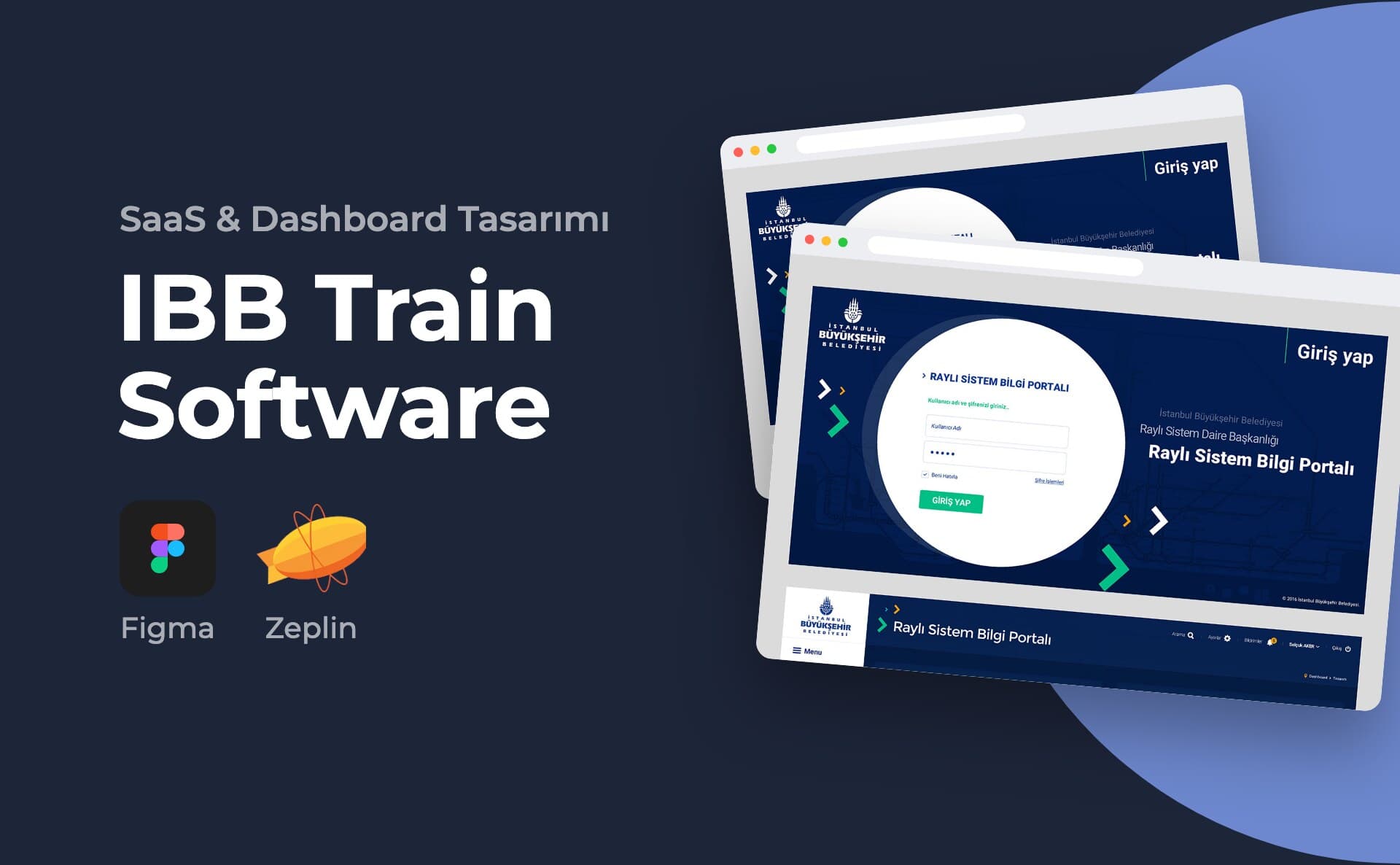
Client and sector
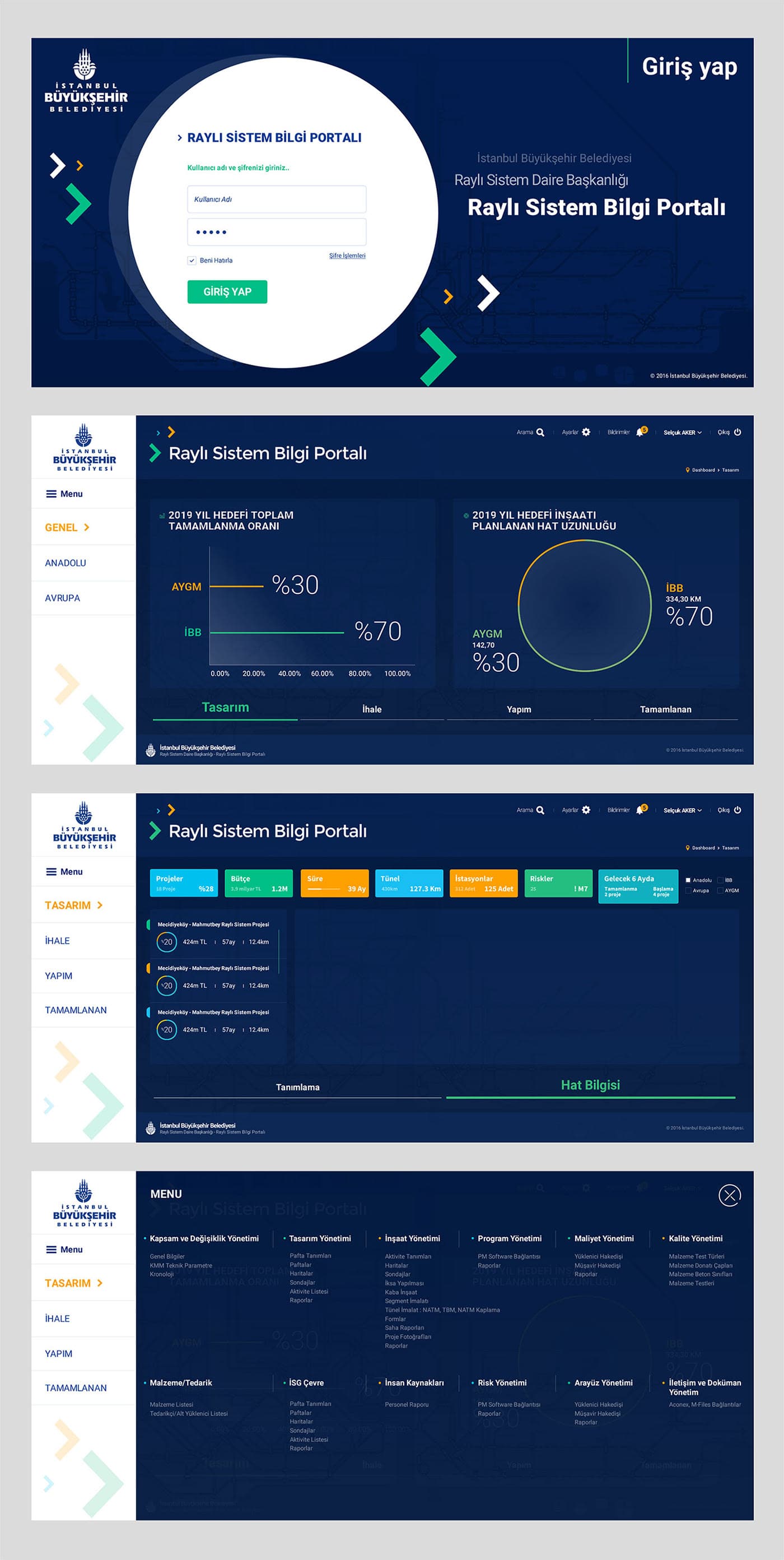
The screens carry the name of the Istanbul Metropolitan Municipality Department of Rail Systems and the title "Raylı Sistem Bilgi Portalı" (Rail System Information Portal). The field is the management of urban rail system investments. Users sign in to the portal with a username and password.
The brief
The portal is built to track rail system projects across four stages: design, tender, construction and completed. Projects run by IBB and by AYGM are shown separately. Projects can also be filtered by the Anatolian and European sides of the city. Budget, duration, tunnel length, number of stations and risks are summarised on the same screen.
My role and scope
In the IBB Train Software project I designed the portal's interface. The portfolio includes four screens: login, overview, stage screen and main menu.
Process and design decisions
- I used a navy background. Behind it I placed fine lines reminiscent of a rail network map. In the foreground I placed green and yellow arrow motifs.
- I set the login form inside a white circle. The institution and portal names are on the right.
- The overview screen has two charts. A horizontal bar chart shows the completion rate against the annual target. A ring chart shows the planned line length.
- I marked IBB in green and AYGM in yellow-orange. This colour distinction stays consistent across the screens.
- The stage menu stays fixed in the left column. The selected stage is highlighted with orange and an arrow.
- At the top of the stage screen there are seven summary cards: Projeler (Projects), Bütçe (Budget), Süre (Duration), Tünel (Tunnel), İstasyonlar (Stations), Riskler (Risks) and Gelecek 6 Ayda (Next 6 Months). The project list sits below. Each row has a progress ring, budget, duration and line length.
- The area next to the project list switches between the Tanımlama (Definition) and Hat Bilgisi (Line Information) tabs.
- I designed the main menu as a full-screen overlay. The menu has twelve management headings. Scope, design, construction, programme, cost and quality are some of them. Materials, OHS and environment, human resources, risk, interface and document management are also in the menu.
- The subheadings list pages for sheets, boreholes, tunnel works, progress payments and reports. The menu also includes links to external systems such as Aconex and M-Files.
The screens were prepared in landscape tablet and desktop proportions. For typography I used bold headings and large percentage values. The key figures are readable even from a distance.
Deliverables
- Login screen
- Overview screen
- Stage screen (Design, Line Information tab)
- Full-screen main menu
The cover image lists Figma and Zeplin as the tools.
Outcome
The portfolio shows the four screens I designed for the portal.
This project is an example of my SaaS and dashboard design service.