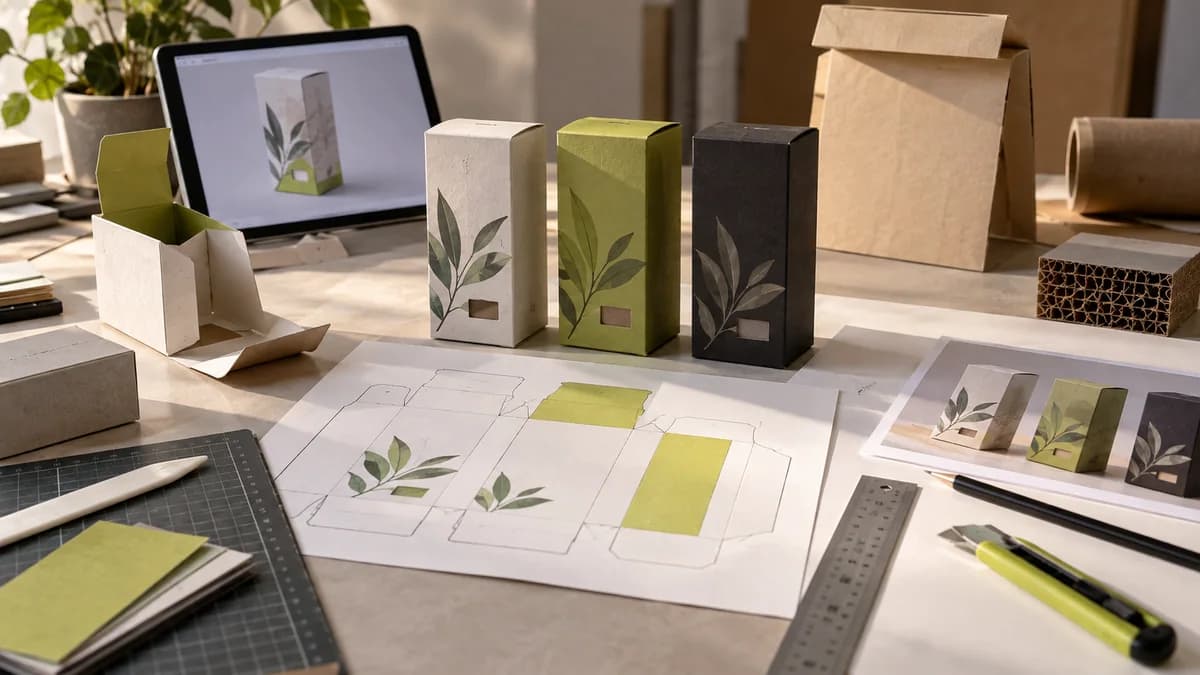
The three-dimensional presentation obtained when designing packaging with artificial intelligence is not the technical file of the packaging to be produced. The box looks nice in the visual; It does not prove that the text will remain in the correct place when folded, that the dimensions are appropriate, or that the label will sit on the surface.
Start with the size of the actual packaging
Get the current cutting and folding line from the manufacturer. Bonding areas, covers and visible surfaces should be evaluated through this file. Adjusting the layout you like in the image to arbitrary dimensions may cause the texts to remain at the junction or important information to be folded.
Use the product image without changing the reality
The presentation on a food box may make the product inside appear different from what it is. Take as basis the photos and information approved by the product owner. If a manufactured illustration is used, consider its relationship to the actual product. Obtain approval from relevant responsible parties for the accuracy of content and other product information; The design tool does not replace this approval.
Does the system break down in three types of products?
Place three different varieties of the same brand side by side. Can varieties be distinguished while maintaining common brand elements? Preparing each box with a separate command can create disconnected visual languages. Setting rules for main layout, typography and type separation in advance provides a more manageable work.
Student exercise: fold flat file
Create a simple paper mockup for an imaginary product. Place the front, side and cover information on the flat file first, then fold. Look at how information is read while being held. This study is not a production approval; It is a method of learning how the two-dimensional design changes on the object.
What checks does the graphic designer make?
In packaging design, visual system, technical layout and production communication are carried out together. Testing of items such as barcodes on the final printout, preparation of files according to manufacturer's specifications, and proof evaluation should be planned when necessary. An AI mockup can convey an idea; It should not be considered the final file to be sent to print without completing these steps.
When reviewing the Packaging design service, please note that the main design, variant adaptation and print preparation may be separate work items. corporate identity design can also be considered for the brand system.
For an overview, you can refer to the beginner's guide on designing with artificial intelligence.
Frequently asked questions
Can the AI packaging mockup be sent directly to the printing house?
The presentation visual is generally not a production file that carries cutting and folding information. The graphic layout should be prepared on the manufacturer's approved template and checked against actual measurements.
Why does changing the appearance of the product in the AI packaging image cause problems?
The image may appear to have a color, quantity or format that the product does not actually offer. Match product photo and texts with factual information; Do not confuse representative presentation with actual product.